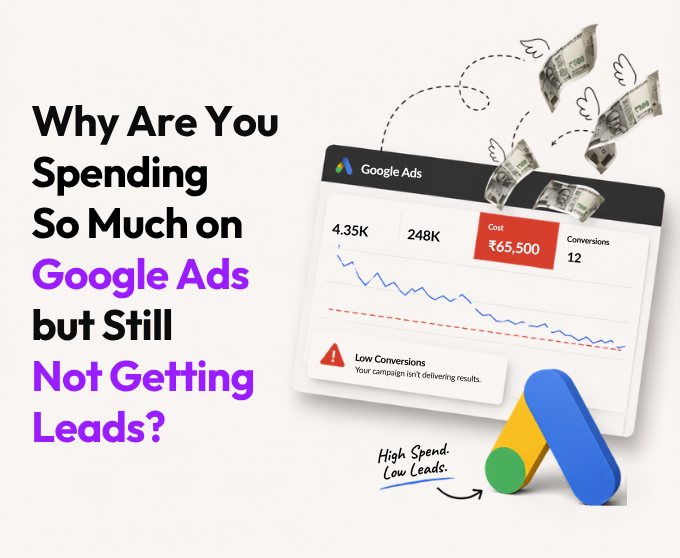
Google Ads not generating leads is almost never a sign that "the ads don't work." In most accounts we audit, the real leaks sit in three specific places:
- Automated campaigns (Performance Max) spending budget on placements you can't fully verify
- Broad match keywords bidding blind because there isn't enough conversion data to guide them
- Leads that do arrive, but sit unanswered until the buyer has already moved on
Fix visibility and follow-up before you touch the budget. Here's the decode.
Performance Max Might Be Spending Your Budget in Places You Can't Fully See
Performance Max (PMax) is Google's all-in-one automated campaign type. It bids across Search, Display, YouTube, Gmail, Maps, and Discover from a single budget, using AI to decide where your money goes.
Google has genuinely improved transparency here through 2025 and 2026, adding channel-level reporting and, more recently, visibility into Search Partner Network placements. But there's a catch that most advertisers still don't know: even with these updates, the Search Partner Network report shows you which domains served your ads, without telling you the cost, clicks, or conversions each individual domain actually produced. You can see where the traffic came from. You still can't calculate whether it was worth paying for.
There's a second, sneakier issue: PMax has a habit of scooping up your own branded search traffic, the people already typing your company name into Google because they already know you. When that happens, PMax reports look fantastic (branded traffic converts easily), while your real acquisition cost quietly rises, because you're now paying to "win" clicks you would have gotten for free.
To be fair, this isn't purely a story of Google hiding waste. Google's own published data suggests that for accounts where Search Partner Network spend is a meaningful share of the budget, well-structured Smart Bidding can see a genuine conversion lift. The issue isn't that Search Partner traffic is automatically bad. It's that you still can't verify at the domain level, for your account specifically, whether that's true.
Broad Match Isn't "Wider Reach." It's a Blank Cheque Without Enough Data
Broad match keywords are often sold as a way to "let Google find more customers." In theory, paired with Smart Bidding, that's true. In practice, Smart Bidding needs a meaningful volume of conversion data, generally somewhere in the range of 30 to 50 conversions per campaign in the trailing 30 days, to know what a "good" click even looks like.
Below that threshold, the algorithm isn't optimizing. It's guessing. And because broad match by design expands your reach beyond your actual keywords, when it guesses wrong, it does so at scale, spreading budget across searches that were never going to convert in the first place.
This is precisely why so many small and mid-size accounts see rising clicks and rising costs alongside flat or falling leads. The account isn't underperforming. It's under-fed. Nobody gave the algorithm enough real conversion signal to aim correctly, and nobody told the advertiser that this data threshold even existed.
Google's "Recommendations" Are Not Neutral Advice
Every Google Ads account has a Recommendations tab, and many advertisers have unknowingly opted into "auto-apply," letting Google make changes to the account without a human approving each one first.
Here's the nuance most business owners never dig into: Google states clearly that auto-applying recommendations will not raise your account-level budget cap or reallocate budget between campaigns. That part is true, and it's worth knowing. What it doesn't change is that "Bidding and budgets" is one of the recommendation categories you can opt into, and when those specific recommendations, like raising a Target CPA, are auto-applied, they can still increase how much of your existing budget gets spent, and how aggressively, without a human reviewing whether that specific change was efficient for your business.
Ads and asset recommendations (like enabling responsive search ads or optimized rotation) tend to be low-risk. Bidding and budget recommendations are a different story, and they're exactly the category most experienced media buyers manually review or turn off, rather than letting them run unattended.
If you've never checked your account's auto-apply settings, there's a real chance some of your "strategy" was written by a recommendation engine, not a strategist.
Why Your Clicks Are Getting More Expensive for Reasons That Have Nothing to Do With You
This one isn't a mistake you made. It's a shift in the market itself. Google's AI Overviews now appear on a large share of commercial search queries, and they change how many people click through at all.
Search Engine Land's coverage of Seer Interactive's large-scale tracking study (spanning millions of tracked queries into 2026) found that when an AI Overview appears on a search result page, organic click-through rate falls by roughly 61%, and paid click-through rate falls by roughly 68%, compared to the same type of query without an AI Overview present.
That means fewer people are clicking through to ads at all on a growing share of searches, regardless of how good your account is. Two businesses can run the exact same campaign quality in 2024 versus 2026, and the 2026 version can still show a lower click-through rate and a higher cost per lead, simply because there are fewer clicks available to compete for on the page.
The Leads Are Probably Arriving. Nobody's Answering Them Fast Enough.
This one quietly wrecks more budgets than any targeting mistake, because it isn't an ads problem. It's a business problem hiding behind an ads bill.
Studies have found that contacting a lead within five minutes makes you roughly 100 times more likely to reach them than waiting 30 minutes. Yet the average first-contact time is still around 42 hours, with other studies placing it anywhere between 29 to 47 hours. The numbers vary. The pattern doesn't.
Google Ads logs a "conversion" the second a form gets filled. What happens after, a callback in five minutes or five days, is invisible to your ad account and decisive for revenue. So "Google Ads isn't generating leads" often really means "our process is losing leads before we get credit for them." That's a speed-to-lead problem, fixable in days.
| Myth | Reality |
|---|---|
| More budget automatically means more leads | More budget without fixing existing waste just amplifies the waste |
| Performance Max is "set it and forget it" | Even with 2026's improved reporting, PMax still needs weekly review and exclusions |
| Broad match reaches more of the right customers | Without enough conversion data, broad match lets Smart Bidding guess, broadly, at your expense |
| A lead that didn't convert means the targeting failed | It often means follow-up didn't happen fast enough to matter |
| Google's recommendations are neutral best practices | Many, especially bidding and budget ones, are designed to increase spend |
| 7 to 8% conversion rate is "the" benchmark | Your real benchmark depends entirely on your specific industry |
The 7-Step Google Ads Reality Audit
Before you cut your budget, pause your campaigns, or fire your agency, run this check first:
- Pull your Search Terms report. Sort by cost. Flag every query spending above your target cost-per-lead with zero conversions in the last 30 days.
- Open PMax channel-level reporting. See exactly how much of your budget is going to Search, Shopping, Display, YouTube, and Search Partners, and whether branded terms are being cannibalized.
- Check your Auto-apply settings. Go to Recommendations > Auto-apply settings. Turn off anything in the bidding and budget category unless you've deliberately chosen to keep it on.
- Audit your broad match campaigns for data volume. If a broad match campaign has fewer than roughly 30 conversions in the trailing 30 days, Smart Bidding doesn't have enough signal to target it accurately yet.
- Find your real industry benchmark, not the blended average, and measure your conversion rate against that instead.
- Time your own lead response, honestly. Submit a test form or make a test call and track, to the minute, how long it takes a real human to respond.
- 7. Separate "conversions" from "closed deals." Map how many form fills actually turn into qualified conversations, and where in that chain leads are quietly disappearing.
Conclusion
Google Ads doesn't need more of your money. It needs someone to actually look inside the account, question what the automation is doing, and time how fast your own team picks up the phone.
At Creative Nerds, this is the audit we run before we ever recommend increasing a single rupee of budget: search terms, match types, PMax placements, auto-apply settings, and yes, how fast someone actually picks up the phone. More often than founders expect, that last one turns out to be the real leak.
Smart ideas beat big budgets. Data before drama. And honestly, sometimes the fix isn't a smarter campaign. It's just answering the phone faster.
Want us to run this exact audit on your account? Reach out to us at +91 91670 08137, and let's nerd out over your Google Ads data to find out where your leads are actually going.